
My nostalgia for my favorite childhood operating system simply grows more, especially when a friend of mine, PluMGMK has developed a Modern Generic SVGA driver for Windows 3.1 on GitHub, allowing you to really push the system to utilize more modern hardware.
Which led to me getting some ideas, which I can thankfully try out in 86Box, which is an emulator of retro x86-based machines, giving you a greater selection than your traditional virtualization software can do. Normally I’ve used DOSBOX for my Windows 3.1 needs on modern hardware to quickly tinker around with it, but it only gets me so far with the graphics hardware it can support.
Plus it simply cannot get me the actual tests I want to perform when I build out the physical machine I want to make for this. As cool it is to be able to emulate the physical hardware with 86Box, I’m still bound to performance limitations with it, even with my AMD Ryzen 9900X processor.
Anyway! For this I still want to utilize a system with what hardware I can obtain and get that offers the graphical acceleration good ol’ Win 3.x requires to run smoothly, otherwise everything’s rather CPU bound, even with the aforementioned modern graphics driver
Which brings us to what Matrox has to offer:
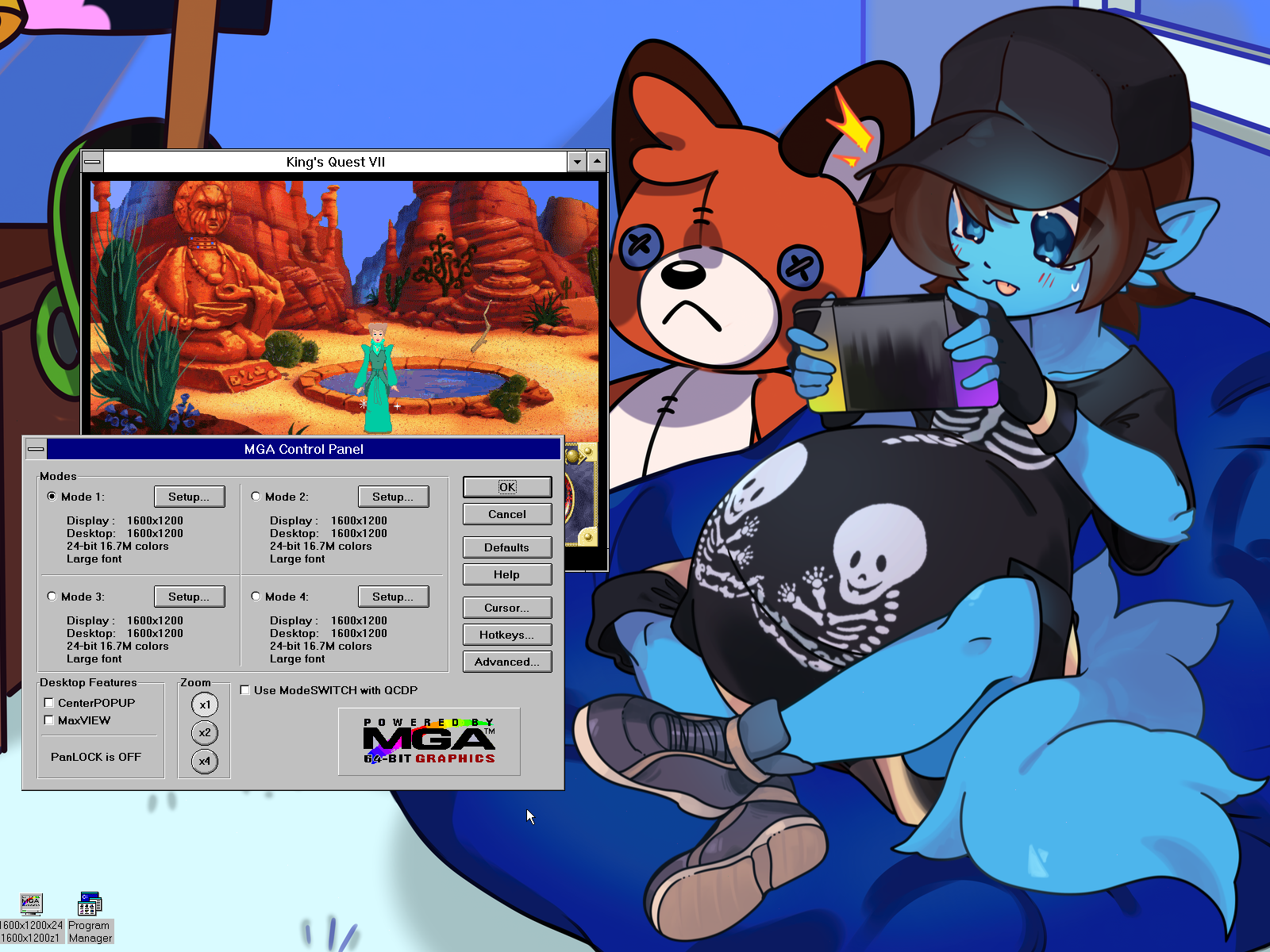
Specifically, I’ve chosen the Matrox MGA Millennium II, with the legacy drivers Matrox still provides, thankfully. Which gives me 1600×1200 with the 24-bit 16.7M true color mode. Sweet!
What’s even more interesting is the fact that the page I linked on the card says 1920 x 1080 is among the supported modes, despite the MGA Control Panel on Windows 3.x topping out at 1600×1200. Granted, this is based off the monitor I had to manually select for it, which was a max of that said resolution, since I went by the generic options that listed that resolution.
So with a bit of a deeper dive, I decided to check to see what some of these monitors on the list had to offer, especially by looking them up, which led me to try the Intergraph InterView 28hd96 CRT display, which supports up 2048×1152@80Hz, and 1920×1080@80Hz. However, no dice…
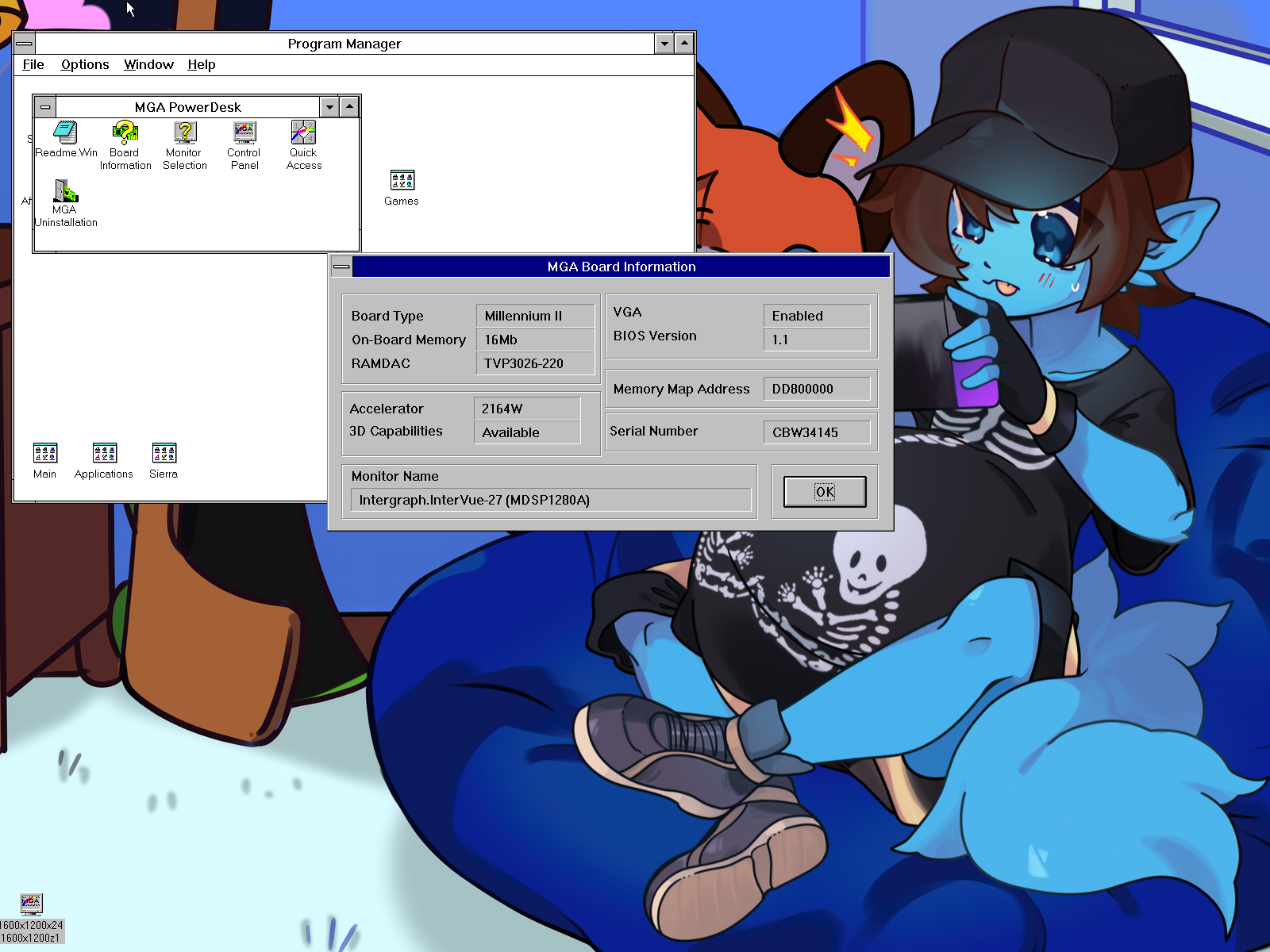
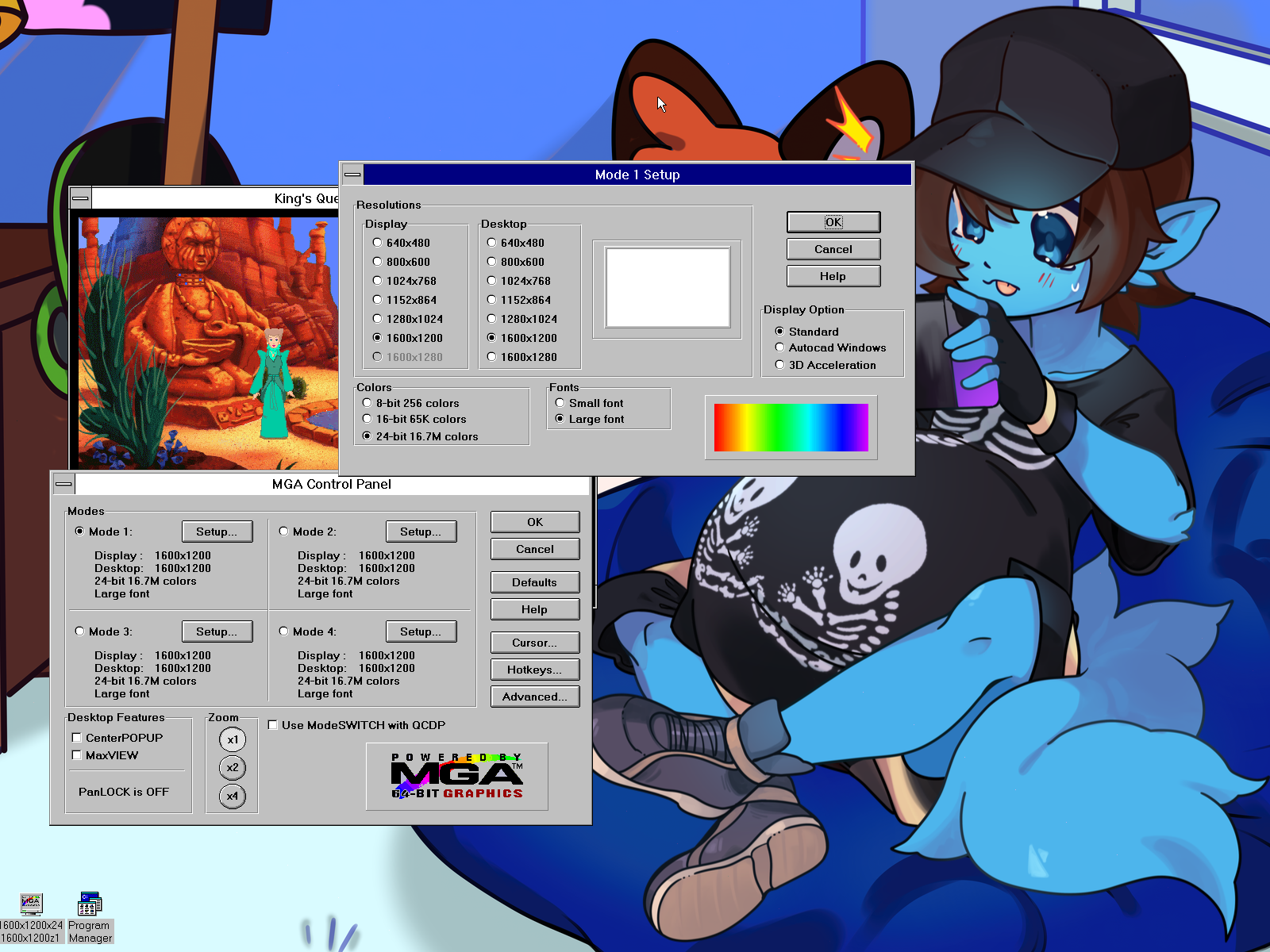

It seems we still cap out in the control panel itself, so I don’t know if the MGA Control Panel for Windows 3.x itself simply was never programmed to account for anything higher than this, but I may have to go on a deeper drive to see if there’s a way to override this as an experiment. I know it’s possible to run Windows 3.x under 1920×1080, given the fact PluMGMK has done so with the modern driver.

So there likely will be a follow-up with this later when I’ve made some progress. No doubt if there are any interests in going beyond 1600×1200 in general, for that nice perfect fit with today’s display standards, someone likely wants to know how to do it themselves as well!
2 thoughts on “Windows 3.1 High Resolution Plans”
Steo
I wish you the best of luck on figuring this out! I’d find it useful too if it were possible. 😀
ReeseRiverson
Thank you! It’s going to be an adventure either way, but I am still at least happy to have 1600×1200, but if I can let this be a perfect output to a 1080P display, then everything will be perfect!
Archives
Categories
Deviant Art Group:
Friends' Websites